
In this post, we will be looking at how to send an Access report as an attachment.
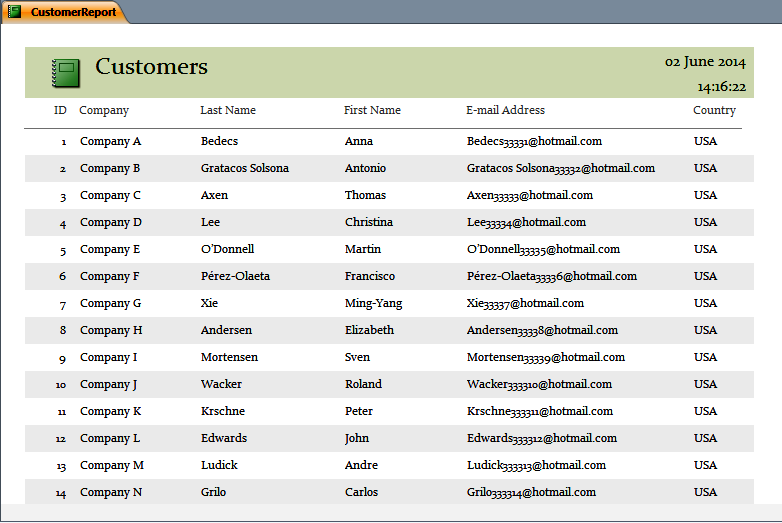
We have a Customer report that we are looking to attach to the email. We would like to save it to our local computer as a PDF file and attach it from there.
The Code
Public Function sendReportAsAttachment(strSQL As String, strEmailField As String, _
                                    strSubject As String, strMessage As String, strReport As String)
On Error GoTo ErrorHandler
    ''''''''''''''''''''''''''''''''''''''''''''''''''''''
    '''''''''''''''''''      1        ''''''''''''''''''''
    ''''''''''''''''''' Declarations '''''''''''''''''''''
    ''''''''''''''''''''''''''''''''''''''''''''''''''''''
    Dim olApp As Object
    Dim olMail As Outlook.MailItem
    Dim olRecipient As Outlook.Recipient
    Dim olAttachment As Outlook.Attachment
    Dim db As DAO.Database
    Dim rs As DAO.Recordset
    Dim strPath As String
    Dim strSendName As String
    Dim strHtml As String
    Dim strLine As String

    ' Create the Outlook session.
    ''''''''''''''''''''''''''''''''''''''''''''''''''''''''''
    'if outlook is open it will need to be run as administrator
    ''''''''''''''''''''''''''''''''''''''''''''''''''''''''''
    Set olApp = New Outlook.Application
    Set olMail = olApp.CreateItem(olMailItem)

    ' Create the message.
    Set olMail = olApp.CreateItem(olMailItem)

   'path where html file will be written
    strPath = "C:\AccessTemp"
    strSendName = "FileToSend"

    On Error Resume Next
        MkDir strPath
    On Error GoTo ErrorHandler

    'print to pdf
    Application.Echo False
    DoCmd.OpenReport strReport, acViewPreview
    DoCmd.OutputTo acOutputReport, "", acFormatPDF, strPath & "\" & strSendName & ".pdf", False
    DoCmd.Close acReport, strReport
    Application.Echo True

    ''''''''''''''''''''''''''''''''''''''''''''''''''''''
    '''''''''''''''''''      2        ''''''''''''''''''''
    ''''''''''''''''''' Recipients '''''''''''''''''''''''
    ''''''''''''''''''''''''''''''''''''''''''''''''''''''


    'open up a recordset and move through it
    Set db = CurrentDb
    Set rs = db.OpenRecordset(strSQL)

    With rs
        If Not .BOF And Not .EOF Then
            .MoveLast
            .MoveFirst

            While (Not .EOF)
                ' Add the To recipient(s) to the message.
                Set olRecipient = olMail.Recipients.Add(.Fields(strEmailField))
                olRecipient.Type = olTo
                .MoveNext
            Wend
        End If
    End With

    ''''''''''''''''''''''''''''''''''''''''''''''''''''''
    '''''''''''''''''''      3        ''''''''''''''''''''
    ''''''''''''''''''''' Message'''''''''''''''''''''''''
    ''''''''''''''''''''''''''''''''''''''''''''''''''''''

    With olMail
         ' Set the Subject, Body, and Importance of the message.
         .Subject = strSubject
         .Body = strMessage
         .Importance = olImportanceHigh  'High importance

         ' Add attachments to the message.
         .Attachments.Add strPath & "\" & strSendName & ".pdf"

         ' Resolve each Recipient's name.
         For Each olRecipient In .Recipients
             olRecipient.Resolve
         Next


        ''''''''''''''''''''''''''''''''''''''''''''''''''''''
        '''''''''''''''''''      4        ''''''''''''''''''''
        ''''''''''''''' Display, Save, Send'''''''''''''''''''
        ''''''''''''''''''''''''''''''''''''''''''''''''''''''

        .Display

      End With

sendReportAsAttachment = True

ExitFunction:
    Set olRecipient = Nothing
    Set olMail = Nothing
    Set olApp = Nothing
    Application.Echo True
    Exit Function
ErrorHandler:
    sendReportAsAttachment = False
    Resume ExitFunction
End Function
The Explanation
Public Function sendReportAsAttachment(strSQL As String, strEmailField As String, _
                                    strSubject As String, strMessage As String, strReport As String)
In order to attach a report we will need to know its name. strReport will need to be the exact name of the report that should be attached.
    'path where html file will be written
    strPath = "C:\AccessTemp"
    strSendName = "FileToSend"
We will need to save the report to the local computer and for that we will need a folder. We have created a folder under the C Drive called AccessTemp and we are setting strPath equal to that folder path.
strSendName is the name that the file will be called when it is saved to the local computer.
    On Error Resume Next
        MkDir strPath
    On Error GoTo ErrorHandler
MkDir will create a directory at “C:\AccessTemp” (strPath). What happens if that directory doesn’t exist? Well, an error will be generated but because we have surrounded the MkDir line with On Error Resume Next…On Error GoTo ErrorHandler, the error will be ignored.
    'print to pdf
    Application.Echo False
    ...
    Application.Echo True
When we save the report to the local computer, we don’t need the end user to see the report being opened so we use Application.Echo false.
DoCmd.OpenReport strReport, acViewPreview
We first open the report but because Application.Echo has been set to False, we will be not be seeing it.
DoCmd.OutputTo acOutputReport, "", acFormatPDF, strPath & "\" & strSendName & ".pdf", False
Having opened the report (in memory) we now want to save the report as a PDF to a predefined location in the database. The location is made up of strPath & “\” & strSendName & “.pdf” which in our case would become C:\AccessTemp\FileToSend.pdf.
DoCmd.Close acReport, strReport
We now close the report.
   ' Add attachments to the message.
         .Attachments.Add strPath & "\" & strSendName & ".pdf"
Having opened the report we want and saved it to a predefined location in the database, we now need to attach it to the email. In order to attach it, we only need pass in the full path of the file we are attaching.
Testing The Function
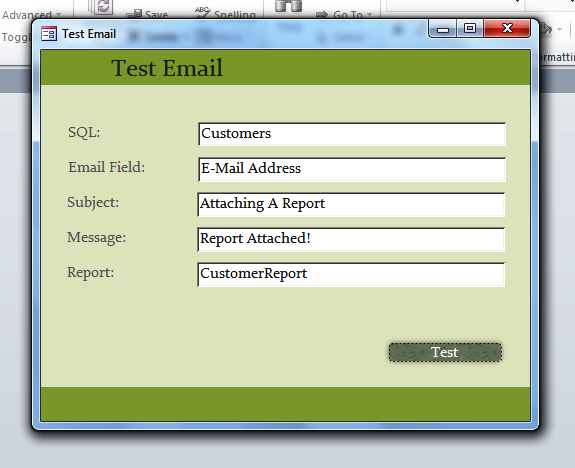
The Form
The form will look like this:
And the end result will look like this: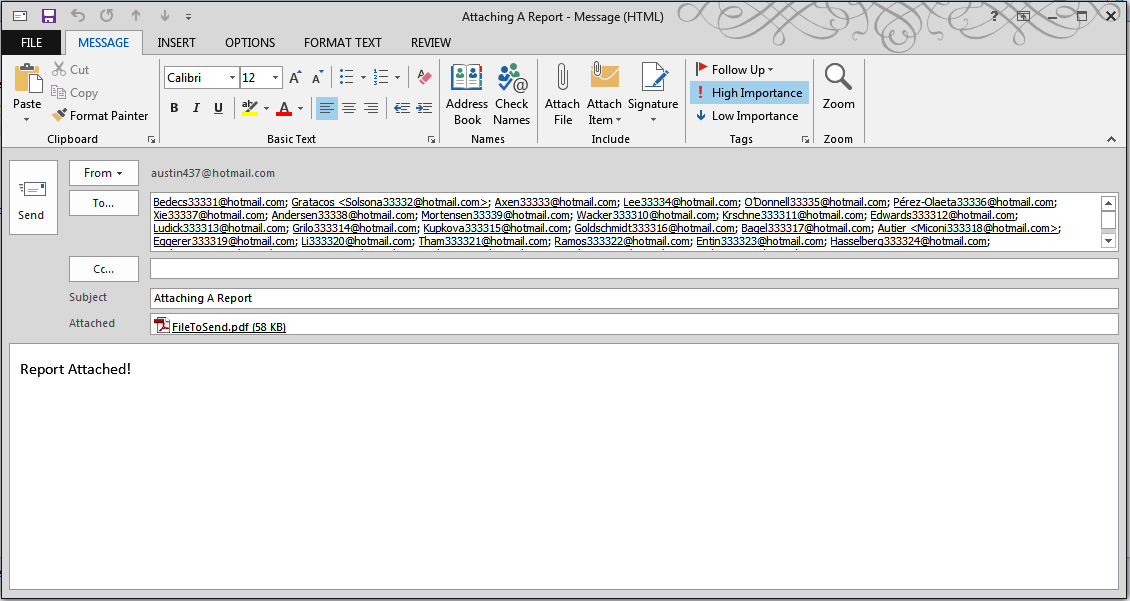
The Conclusion
In this post, we have shown you how to attach a report to an email. In the next post, we will be showing you how to read from a report and display it as a message in the email.


